What Makes Seedream Different? (The "TikTok Tech" Secret)
Unlock the power of ByteDance's Seedream 4.0 AI with this complete guide. Get 5 free access methods and 20 copy-paste prompts for stunning 4K images today.
Unlock the power of ByteDance's Seedream 4.0 AI with this complete guide. Get 5 free access methods and 20 copy-paste prompts for stunning 4K images today.
Introduction
We’ve all seen the hype around Midjourney and DALL-E 3. But quietly, ByteDance (the parent company of TikTok) has released a juggernaut called Seedream 4.0. It’s not just another image generator; it’s a "multimodal" beast that can generate images from scratch, edit existing photos with terrifying precision, and maintain character consistency across multiple shots—something most other AIs struggle with.
Why does this matter? Because it brings the viral, hyper-optimized algorithm magic of TikTok into the world of static design. Whether you're a marketer needing a product shot or a creator wanting a consistent character for a comic book, Seedream is built to understand context better than almost anything else on the market.
In this article, I’ve done the heavy lifting for you. I’ve hunted down the best ways to use it without paying a dime, and I’ve curated a "stress test" list of 20 prompts that push this model to its absolute limit.
What Makes Seedream Different? (The "TikTok Tech" Secret)
Seedream 4.0 isn't just a painter; it's an editor. Most AI tools act like a slot machine—you pull the lever (prompt) and hope for the best. Seedream acts more like a digital artist you can give feedback to.
Native Editing: You can upload an image and say "remove the background" or "change the shirt to red," and it does it directly. No complex masking required.
Character Consistency: By allowing up to six reference images, Seedream can "learn" a specific face or product and place it in new scenarios without morphing it into a stranger.
Bilingual Brain: It understands Chinese and English prompts natively, which often results in richer, more nuanced interpretations of poetic or abstract concepts compared to Western-centric models.
5 Methods to Use Seedream For FREE
You don't need a corporate budget to access this tech. Here are the backdoor routes:
Jimeng AI (The Official App): ByteDance's own app (often called "Jimeng" in China) allows daily free generations. It’s the most direct way to access the raw model.
Coze.cn / Coze.com: This is ByteDance's bot-building platform. You can register for a free account and build a simple bot that uses the Seedream plugin. It typically offers a generous free tier of API calls (often ~1000/month).
Third-Party Aggregators (like Lovarat or RunComfy): Sites like Lovarat.ai often integrate Seedream via API and offer free daily credits to new users to hook them in.
ModelArk (BytePlus): For developers, the ModelArk platform sometimes offers free trial credits for testing their APIs, including Seedream. It’s a bit more technical but very powerful.
Seedreams.co: A dedicated third-party interface designed for international users. It often has a free tier that doesn't require a VPN or a Chinese phone number.
20 Copy-and-Paste Prompts to Test Its Limits
Ready to see what it can do? Open one of the free tools above and paste these in. I’ve categorized them so you can see its range.
Category 1: Hyper-Realistic Portraits (The "TikTok Filter" Vibe)
"Handsome boy, cinematic portrait, sunset lighting, denim jacket, moody vibe, ultra-realistic 4K detail, pore-level skin texture."
"Street photography of a young woman in Tokyo rain, neon reflections on clear umbrella, shallow depth of field, 85mm lens."
"Elderly craftsman carving wood, dust particles in light beams, extreme close-up of hands and wrinkled face, warm atmosphere."
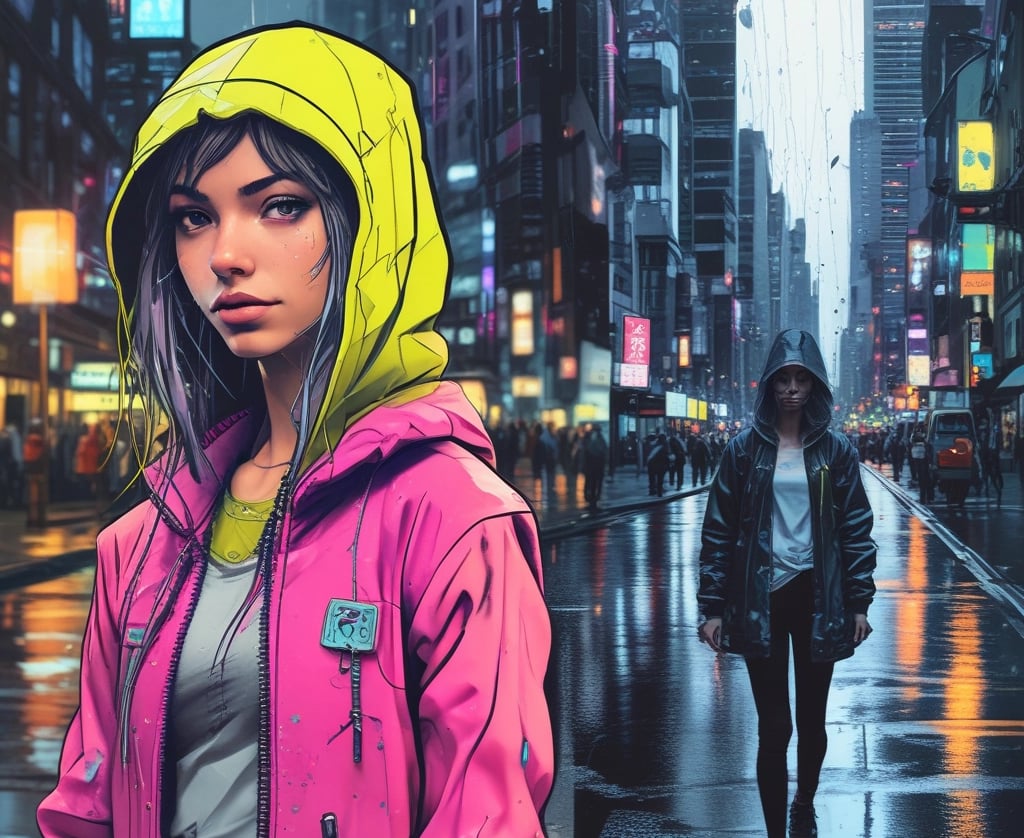
"Futuristic fashion editorial, model wearing bioluminescent translucent raincoat, cyberpunk city background, vibrant teal and magenta lighting."
Category 2: Product & Commercial Photography
5. "Professional product shot of a matte black perfume bottle on a dark slate rock, splashing water droplets, dramatic rim lighting, luxury advertisement."
6. "Flat lay of organic breakfast ingredients: avocado, sourdough bread, eggs, rustic wooden table, soft morning window light."
7. "Sneaker concept design, melting liquid rubber sole, floating in zero gravity, pastel background, 3D render style."
8. "Minimalist architectural interior, Scandinavian living room, beige sofa, large window with forest view, soft shadows, high key lighting."
Category 3: Artistic & Abstract
9. "Oil painting in the style of Van Gogh, but depicting a modern cyberpunk city, swirling starry sky with neon billboards."
10. "Double exposure portrait, silhouette of a woman combined with a snowy mountain forest, misty atmosphere, monochrome."
11. "Paper cut-out art style, layered diorama of a coral reef, vibrant colors, depth of field, soft shadows."
12. "Ink wash painting, traditional Chinese style, towering mountains in mist, lone pine tree, minimalist composition."
Category 4: Text & Layout (The "Poster" Test)
13. "Movie poster design, sci-fi thriller, bold typography 'THE ARRIVAL' at top, lone astronaut standing on red planet, dramatic shadows."
14. "Infographic style illustration of a human brain, glowing neural networks, clean vector lines, isometric view, white background."
15. "Vintage travel poster for Mars, retro 1950s style, rocket ship taking off, 'VISIT MARS' text in bold yellow font."
Category 5: Fantasy & Sci-Fi
16. "Epic fantasy landscape, floating islands with waterfalls, dragon flying in distance, golden hour lighting, matte painting style."
17. "Cyberpunk street food vendor, robot chef cooking noodles, steam rising, neon signs in Japanese, rainy night."
18. "Isometric view of a magic potion shop, tiny details, glowing bottles, wizard cat sleeping on counter, 3D game asset style."
19. "Steampunk airship docking at a Victorian clocktower, clouds and gears, brass textures, cinematic lighting."
20. "Post-apocalyptic overgrown city, nature reclaiming skyscrapers, deer grazing on highway, soft sunlight filtering through leaves, The Last of Us vibe."
Pro Tip: The "Multi-Reference" Trick
The real power of Seedream unlocks when you use the "Reference Image" feature (available in Coze or Jimeng).
Instead of just prompting "a girl," upload a photo of a specific person (or even a sketch you drew). Then prompt: "The same character, wearing a space suit, standing on the moon." Seedream uses the reference to keep the face consistent while changing the context. This is the holy grail for storyboard artists and comic creators.
FAQ
1. Is Seedream better than Midjourney?
It depends. Midjourney is often more "artistic" and abstract. Seedream is better at "instruction following"—doing exactly what you ask, especially for edits and consistency.
2. Can I use the images commercially?
Generally, yes, if you are on a paid plan or have specific commercial rights. Always check the specific Terms of Service of the platform you are using (e.g., Coze vs. Jimeng).
3. Why is it called "Seedream"?
It comes from the Chinese name "Jimeng" (即梦), which roughly translates to "Instant Dream" or "Dream Immediately."
4. Is it safe to upload my photos?
ByteDance states they have safety protocols, but as with all AI tools, avoid uploading sensitive personal data or private photos you don't want processed by a cloud server.
5. Can it generate text inside images?
Yes! Seedream 4.0 is surprisingly good at rendering accurate text (like on posters or signs) compared to older models like Stable Diffusion 1.5.
6. What is the "Golden Structure" for prompts?
A good formula is: [Style] + [Subject] + [Action/Pose] + [Environment] + [Lighting] + [Mood]. Following this order helps the AI prioritize correctly.
7. Does it work on mobile?
Yes, the Jimeng app is mobile-first (it's from the TikTok team, after all), making it one of the best on-the-go AI generators.
8. How fast is it?
Seedream is known for speed. It often generates high-res images in seconds, leveraging ByteDance's massive server infrastructure.
9. Can I edit specific parts of an image?
Yes. You can use "inpainting" prompts like "change the dog to a cat" without redrawing the whole scene.
10. Is there a watermark?
Free versions usually add a small watermark. Paid tiers or API usage typically allow you to remove it.
Conclusion
Seedream 4.0 is a flex. It shows that the battle for AI supremacy isn't just between Silicon Valley giants; there is a massive, innovative wave coming from the creators of TikTok.
By combining ease of use with professional-grade consistency tools, Seedream lowers the barrier to entry for high-end AI art. Whether you use the 20 prompts above to make a cool wallpaper or to mock up a marketing campaign, you are tapping into one of the most advanced visual engines on the planet. And the best part? You can start right now, for free